











The Wasafi Bet mobile platform gives users in Tanzania access to sports markets, live events, casino games, payments, and account tools from a phone. This guide explains how to obtain the Android installation file, use the platform on an iPhone, manage updates, and resolve common technical problems.
Use only the download offered through the official website. Files shared through messaging services or unrelated download pages may be outdated or altered. Before installing anything, confirm that the address in your browser is correct and that your phone has enough storage and a stable internet connection.
What Is the Wasafi Bet App?
The app is designed for users who want to browse sports markets, place bets, check results, and manage an account from an Android phone. Its interface is adapted to smaller screens, which can make it easier to move between events and review a bet slip without using a computer.
Available functions may include pre-match and live markets, casino content, transaction records, notifications, and betting history. Existing customers can log in to their account with the credentials used on the website. Features and game availability can change, so check the current menus inside the platform.
How to Download the Official Wasafi Bet App
Open the official website in your Android browser and look for the mobile download option. Read any version details or installation notes shown on the download screen before saving the APK. If there is no download option, do not substitute a file from an unrelated website.
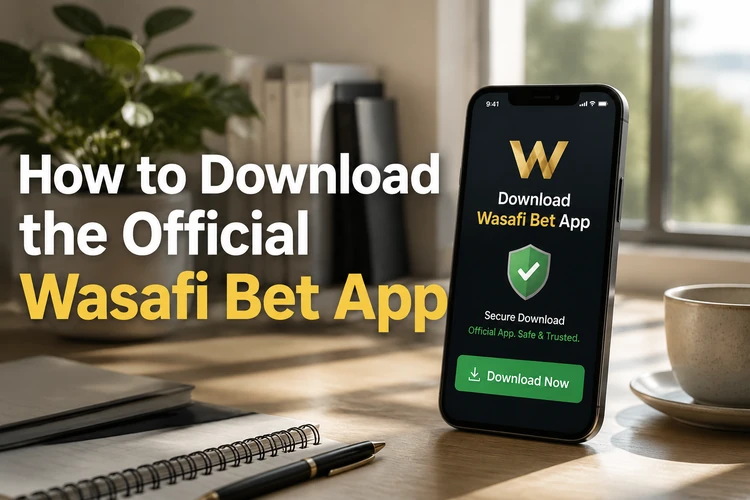
When the browser asks whether to keep the file, check that the download was initiated by your action and then confirm it. Wait until it finishes before opening it. Avoid APK files received through email, social media, WhatsApp, or Telegram, even when the sender claims that the file is official.
An APK installs software directly on Android. The browser version requires no installation and normally receives platform changes automatically. It may be the simpler choice if you do not want to change Android installation permissions or store another app on your phone.
Installing the App on Android
After downloading the APK, tap the completed-download notification or locate the file in the Downloads folder. Android may ask you to allow installations from the browser or file manager that opened it. The wording and menu location vary by Android version.
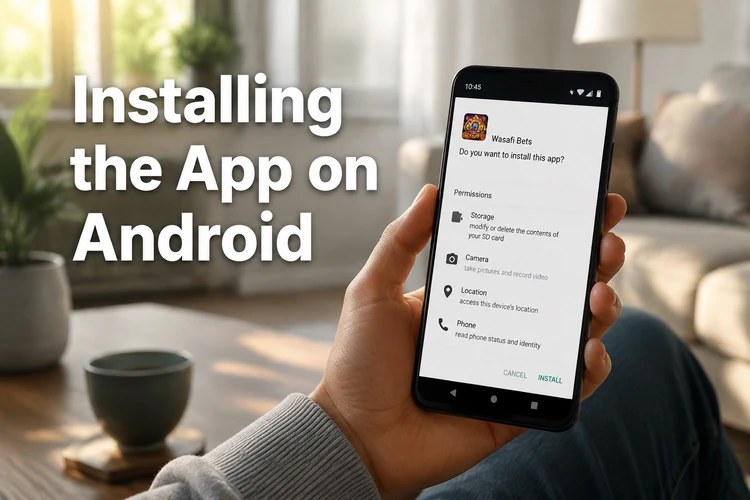
Enable permission only for the source you are currently using, return to the installer, and review the prompt before tapping the on-screen Install button. Once installation is complete, open the app and sign in. Grant only permissions that match a clear function, such as notifications if you want account alerts.
For better security, disable the installation permission again after setup. If Android blocks the file, do not bypass a security warning automatically. Delete the APK, check the official download page again, and repeat the download over a reliable connection.
Using Wasafi Bet on iPhone
Availability of a native iOS app can change. Check the official website and Apple App Store rather than relying on third-party instructions. If no verified iPhone app is offered, use the mobile version of the website in Safari.
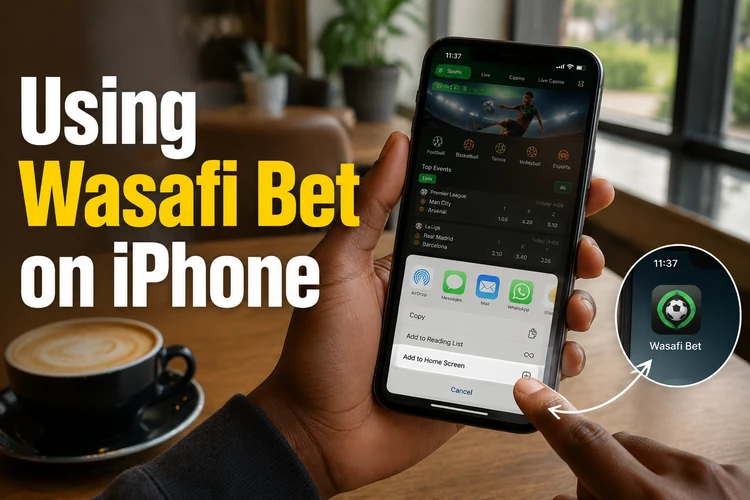
To create a shortcut, open the site in Safari, tap the Share button, choose the on-screen Add to Home Screen option, edit the name if needed, and tap Add. The shortcut opens the website without installing an APK. Account records remain associated with your account rather than the shortcut itself.
Main Features
The mobile platform may provide pre-match and live betting across football and other available sports. Before confirming a wager, check the selected event, market, odds, stake, and possible return. Live odds can change quickly, and the final accepted price may differ from the one first displayed.
Casino and virtual content depends on current availability. Account menus can also provide deposit and withdrawal options, transaction records, bonus information, notification controls, and betting history. Payment methods, processing times, and limits should be checked on the confirmation screen before submitting a transaction. Controls explained on the responsible gambling page can help users manage their activity.
Android APK Explained
APK stands for Android Package Kit, the file format used to install Android applications. App stores usually handle this process in the background, while a directly downloaded APK requires the user to open the file and approve installation manually.
This approach is useful when an app is distributed through its official website, but it requires extra care. Confirm the source, review Android warnings, and avoid granting permissions that do not match the app's purpose. An APK cannot be installed on an iPhone because iOS uses a different software system.
App Updates
If the app does not update automatically, check the official download page for the current release and follow the displayed instructions. Install the newer APK over the existing version unless the official guidance tells you to uninstall first. Account balances and betting records are generally linked to the account, but you should still remember your login details before making changes.
If an update fails, confirm that there is enough free storage, restart the phone, and download a fresh copy. Do not repeatedly install an incomplete file. Clearing the app cache may resolve performance problems without deleting account data, while clearing all app storage will usually sign you out.
Troubleshooting
If the APK does not open, confirm that the download finished and that you are opening it on Android. A parse or package error can indicate an incomplete file or an incompatibility with the device. Delete the file, restart the browser, and download it again from the official source.
For freezing or slow loading, close other apps, clear the cache, and restart the phone. If login fails, re-enter the credentials without extra spaces and check whether another website loads on the same connection. After several unsuccessful attempts, pause rather than repeatedly guessing the password. Persistent account or installation problems can be reported through the contact page.
Security Recommendations
Keep Android and your browser updated, use a unique password, and lock the device with a PIN or biometric method. Never share verification codes or login details. Avoid making payments over unsecured public Wi-Fi, and sign out when using a device that other people can access.
Review account activity regularly and report transactions you do not recognise. Uninstall files or applications obtained from uncertain sources, then change your password from a trusted device if you suspect unauthorised access. Gambling involves financial risk, so set affordable limits and never chase losses. Players must be 18+.
FAQ
Yes. Use the same account credentials on supported versions of the platform. Your balance, accepted bets, and transaction history are linked to the account rather than a particular device.
Native iOS availability may change, so check the official website and Apple App Store. If no verified app is listed, use the mobile website in Safari and add a home-screen shortcut if desired.
Check the official download page for the current APK and follow its installation instructions. A newer version can normally be installed over the existing app, but keep your login details available in case you are signed out.
Confirm that the download completed, that your device has enough free storage, and that Android permits installation from the browser or file manager you used. Download a fresh file if the package appears damaged.
Use only the file provided through the official website. Check the address before downloading, pay attention to Android security warnings, and avoid copies shared through messaging apps or third-party file platforms.
Close other apps, clear the Wasafi Bet cache, restart the device, and check for an official update. If the problem continues, reinstall from the official source or contact support with your phone model and Android version.