











Aviator is a crash game built around a rising multiplier. At the start of each round, the value begins at 1.00x and increases while the plane remains in flight. Players place a stake and choose when to cash out. If the round ends before the cash-out action is completed, that bet is lost. The format is easy to understand, but its speed and randomness require careful limits.
What is Aviator on Wasafi Bet
The multiplier may rise to a high value, but it can also stop within seconds at a low figure such as 1.01x or 1.05x. There is no reliable pattern to follow. Each round is separate, and the result is determined by the game system rather than by the previous round. A round can last only a few seconds or continue for longer, so the pace may suit people who prefer short sessions on a phone.
Before placing a bet, check the stake field and the cash-out controls carefully. The coefficient shown at the moment of cash out determines the return for that bet, subject to the platform's rules. Watching a previous sequence does not predict the next result, and increasing a stake after a loss does not improve the odds.
Key Features of the Game
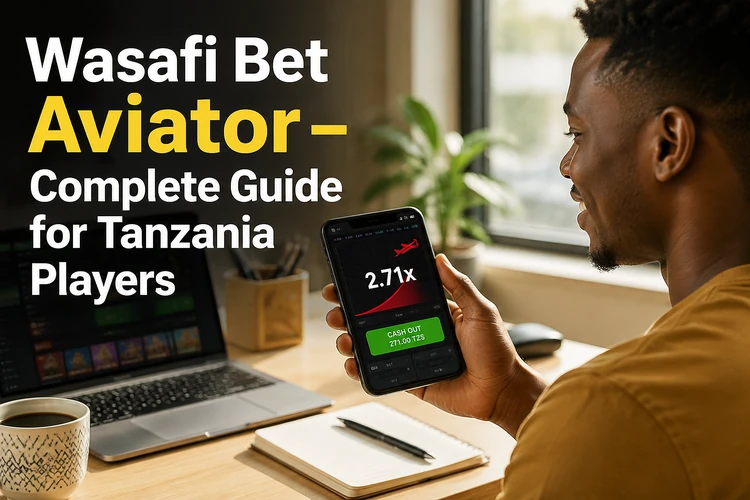
The interface is designed to show the information needed during an active round. Depending on the current version of the platform, the screen can display the multiplier graph, the betting panel, active bets and recent round information. Some versions also provide two betting positions in one round, allowing separate cash-out decisions. Read the controls before staking real funds because buttons and limits can vary by device or account.

On a smaller screen, the responsive layout should keep the main graph and stake controls visible without requiring a desktop computer. A stable internet connection is still useful: a delayed page or lost connection can make it difficult to confirm an action in time. Close other data-heavy applications and check your connection before beginning a session.
How to Register for Wasafi Bet
Account registration is required before placing bets. Start from the platform's homepage and select the registration option. The form normally asks for basic contact and security details, such as a phone number and password, together with confirmation that you are at least 18 years old. Enter information accurately and use a password that is not shared with another service.
After submitting the form, follow any confirmation instructions sent to the registered phone number. Account verification may be needed before all account functions are available. Once the process is complete, you can log in to your account and review the game rules, available balance and account settings. Keep access to the phone number used during registration, since it may be needed for recovery or later verification.
Logging In to Your Aviator Account
Returning players can use the browser version or the mobile application. Enter the registered phone number and password on the sign-in screen, then check that the page address and connection are correct before submitting details. Do not give your password to another person or enter it on an unofficial page.
If you forget the password, select the recovery option and follow the instructions sent to your registered contact. A reset code or link may expire, so request a new one if the first attempt no longer works. On a shared or borrowed phone, avoid saving credentials and sign out when finished. Contact platform support if recovery fails rather than repeatedly guessing the password.
Mobile Access and Download Options
Aviator can be used on a smartphone through a mobile browser, and a dedicated application may also be available through the platform. Android users should use only the installation method shown in the official account area and review the requested permissions before installing an APK. Do not download files from advertisements, unknown forums or links sent by strangers.

On iPhone, the mobile website can be opened in Safari and saved to the home screen as a shortcut. This does not necessarily mean that a separate App Store application has been installed. Browser access is often enough for account management and gameplay, while an app, where offered by the platform, can provide a more direct launch point. Check for updates using the same official source used for installation.
Using the Mobile App
The mobile application presents the game and account functions in a compact layout. After opening it, sign in with existing credentials and check that the balance and connection status have loaded before starting a round. Touch controls should be given a moment to respond, particularly on an older phone or when the network is busy.
Keep the operating system and application version reasonably current, and remove an old installation before replacing it only when the platform's instructions recommend that step. If the screen freezes, close and reopen the app, check the connection and avoid pressing the bet control repeatedly. The browser remains a practical alternative when the application is unavailable or needs updating.
Steps to Start Playing
Once the account is active and funds are available, open the Aviator section and read the on-screen rules. A cautious first session can follow these steps:
- Step 1: Sign in and confirm that the correct account and balance are displayed.
- Step 2: Select the Aviator game and review the stake field before entering an amount.
- Step 3: Place the bet before the round's countdown reaches zero.
- Step 4: Watch the multiplier and use the cash-out control if you decide to end the bet.
- Step 5: Wait for the round result before making another decision.
The return is based on the stake multiplied by the coefficient at the time of cash out, according to the applicable rules. If the plane disappears first, the stake for that position is not returned. A clear session budget is more useful than trying to recover a loss with a larger bet.

Responsible Gaming
Aviator is for players aged 18+ only. The rapid rounds can encourage quick decisions, so set both a spending limit and a time limit before opening the game. Treat the stake as entertainment money, never as rent, savings or a way to repay debts. Stop when the planned limit is reached, whether the session is going well or not.
Take regular breaks and avoid playing when tired, upset or under pressure. If betting becomes difficult to control, use the responsible-gambling information and account tools available on the platform. You can review the site's responsible gambling guidance for further support. The random outcome of each round means that no system can guarantee a profit.
Final Thoughts
Wasafi Bet Aviator is a fast crash game in which the multiplier rises until an unpredictable end. The basic route is to create an account, complete any requested verification, sign in through a browser or mobile option, and understand the cash-out control before staking. Read the current rules on the platform, test the interface carefully and keep every session within a budget and time limit.
FAQ
Yes. An account is required before placing a bet. Create one with the requested details, complete any phone or account verification, and sign in before opening the game.
Yes. You can use a compatible mobile browser, and a dedicated application may be available through the platform. A reliable connection helps the game controls load and respond properly.
No. The mobile website can provide access without a separate installation. An application, where available, is an optional way to launch the platform more directly.
Use the recovery option on the sign-in screen and follow the instructions sent to the contact details registered on the account. If the process fails, contact the platform through its support channel.
Some versions of the game provide two betting positions in a single round. If the option appears in your interface, check the separate stake and cash-out controls before using it.